AgentList Action in NICE CXone Desktop Studio
 VoIP Trainers5 min read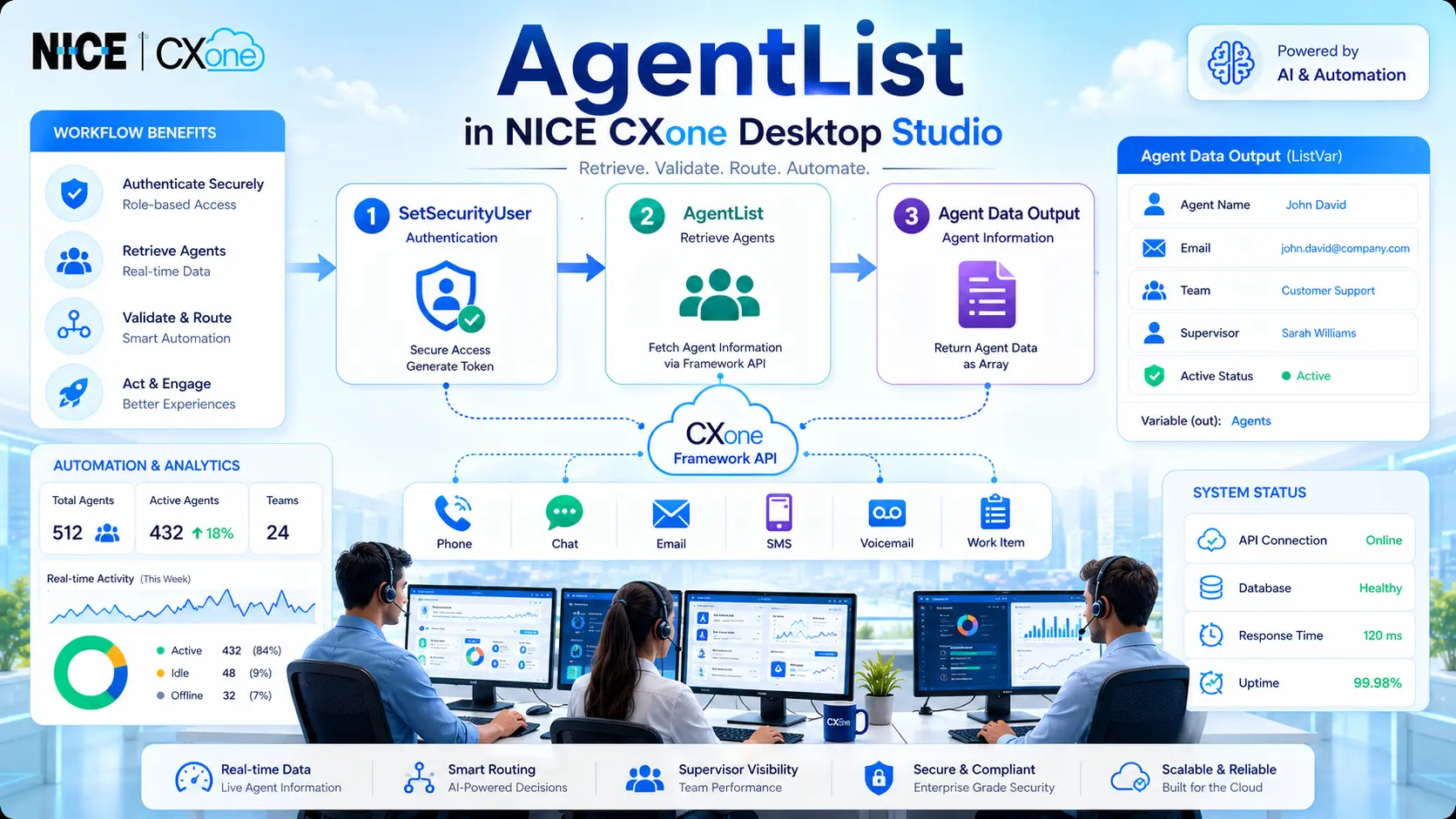
The AgentList action in NICE CXone is used to retrieve detailed information about agents configured in a business unit. This action returns agent profile details in an array format and helps administrators, supervisors, and developers automate workflows based on agent information.
- A single agent using AgentID
- All agents within the business unit
- Team and supervisor information
- Agent email and login details
- Custom profile fields
This action is commonly used in:
- Workforce automation
- Dynamic routing
- Supervisor workflows
- Reporting scripts
- Validation processes
- Email/SMS notification systems
In summary, the AgentList Action in NICE CXone is essential for effective agent management.
This functionality enhances productivity by streamlining agent data retrieval processes through the AgentList Action in NICE CXone.
Understanding the AgentList Action in NICE CXone
The AgentList Action in NICE CXone plays a crucial role in integrating with various workflows.
The AgentList action communicates with the NICE CXone Framework API and returns agent profile information as an array.
It can:
- Check if an agent is active
- Retrieve email addresses
- Find supervisor details
- Identify team memberships
- Access custom user fields
- Validate login information
AgentList Workflow Diagram
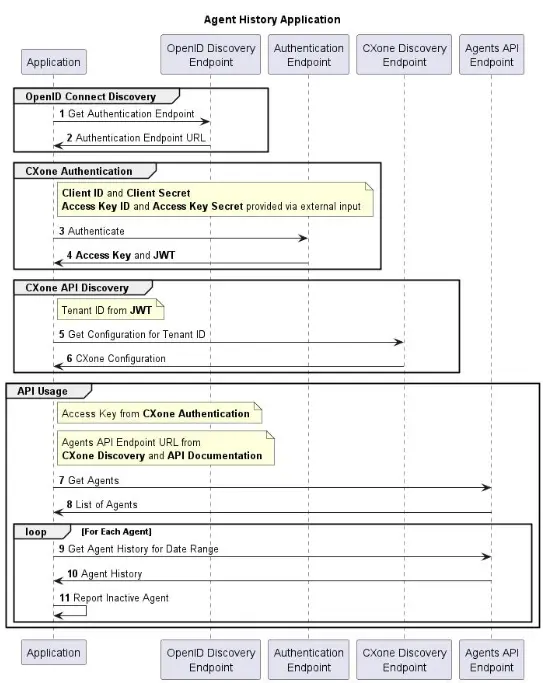
How AgentList Works
The action works by:
- Authenticating a security user
- Calling the Framework API
- Retrieving agent records
- Returning the data into an array variable
Basic Flow
SetSecurityUser ↓AgentList ↓Agents Array Output ↓Use Data in Script LogicImportant Dependency
Before using AgentList, you must configure:
SetSecurityUser Action
The SetSecurityUser action authenticates the request using a user’s security permissions.
Mandatory Requirement
The output variable from SetSecurityUser must match the SecurityUser input property in AgentList.
Example:
SetSecurityUser Output = SecurityUserAgentList SecurityUser = SecurityUserIf this dependency is missing, the action will fail.
Supported Script Types
AgentList supports multiple script types inside Desktop Studio.
Supported Channels
| Script Type | Supported |
|---|---|
| Generic | Yes |
| Yes | |
| Chat | Yes |
| Phone | Yes |
| Voicemail | Yes |
| Work Item | Yes |
| SMS | Yes |
Input Properties
1. Caption
Used to identify the action on the Studio canvas.
Example
Get Agent Details2. SecurityUser
This property stores the authenticated security object returned from SetSecurityUser.
Example
SecurityUserNo curly braces are needed.
3. AgentID
Used when retrieving information about a specific agent.
Example
{agentId}If left blank, the action returns all agents in the business unit.
Output Properties
ListVar (out)
Stores returned agent data as an array.
Default Variable
AgentsAgentList Output Fields
The action returns a large set of agent profile details.
Standard Fields Returned
| Field | Description |
|---|---|
| AgentID | Unique agent identifier |
| FirstName | Agent first name |
| LastName | Agent last name |
| UserName | Login username |
| Agent email address | |
| TeamId | Team identifier |
| TeamName | Team name |
| IsActive | Indicates active status |
| IsSupervisor | Indicates supervisor role |
| LastLogin | Last login timestamp |
| Location | Agent location |
| BusinessUnitID | Business unit identifier |
| InternalId | Internal system ID |
Supervisor Information Fields
AgentList can also return reporting hierarchy details.
| Field | Description |
|---|---|
| ReportToId | Supervisor ID |
| ReportToFirstName | Supervisor first name |
| ReportToMiddleName | Supervisor middle name |
| ReportToLastName | Supervisor last name |
Custom Fields
The action supports custom attributes configured in CXone.
| Field |
|---|
| Custom1 |
| Custom2 |
| Custom3 |
| Custom4 |
| Custom5 |
These can store business-specific values such as:
- Department
- Employee type
- Shift information
- Region
- Skill group
Common Use Cases
1. Check Agent Active Status
You can verify whether an agent is currently active.
Example
IF Agents[0].IsActive = TrueUsed in:
- Workforce validation
- Dynamic routing
- Login monitoring
2. Retrieve Agent Email
Useful for automated notifications.
Example
Agents[0].EmailUsed in:
- Escalation emails
- Supervisor alerts
- Automated workflows
3. Identify Team Membership
Retrieve team-based routing information.
Example
Agents[0].TeamNameUsed in:
- Team routing
- Department filtering
- Skill assignment workflows
4. Supervisor Identification
Fetch reporting manager information.
Example
Agents[0].ReportToFirstNameUseful for escalation workflows.
Result Branch Conditions
AgentList supports branching logic.
Default Branch
Executed when the action completes successfully.
OnError Branch
Executed when:
- Authentication fails
- API connectivity issues occur
- Syntax problems exist
- Permissions are missing
The system populates:
_ERRwith the error description.
Error Handling Workflow
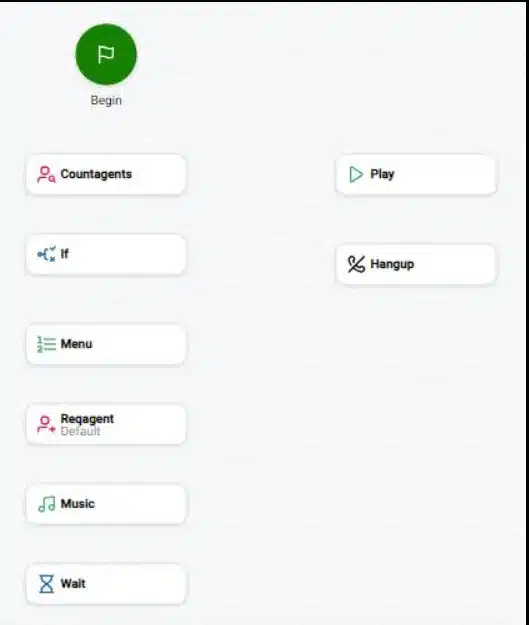
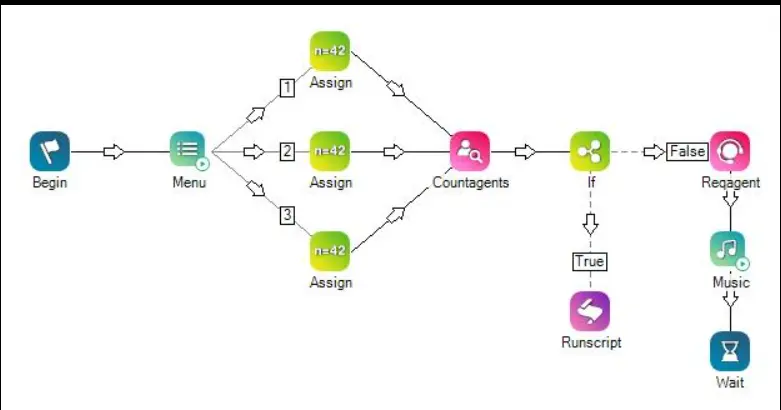

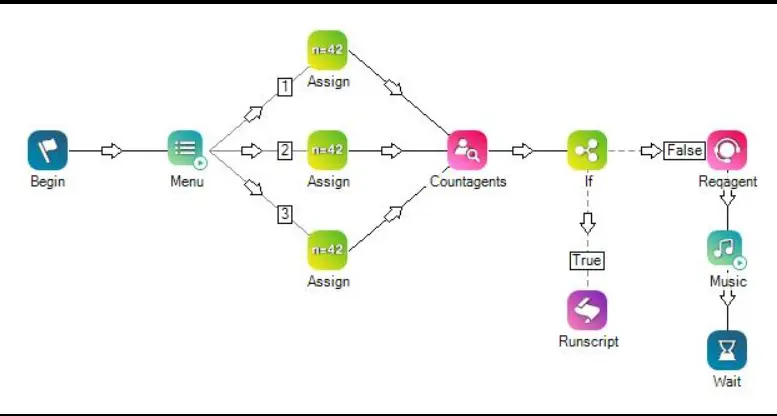
Example Studio Script Logic
Retrieve All Agents
SetSecurityUser ↓AgentList ↓FOR EACH Agent IN Agents ↓Process DataRetrieve Specific Agent
AgentID = {agentId}Returns only the requested agent record.
Benefits of AgentList
Centralized Agent Information
Provides complete agent profile details from a single action.
Dynamic Workflow Automation
Enables scripts to make routing decisions based on:
- Team
- Supervisor
- Active status
- Location
- Custom attributes
Reduced API Complexity
Instead of multiple API calls, AgentList consolidates information retrieval.
Best Practices
Always Use SetSecurityUser
This is mandatory for authentication.
Handle Errors Properly
Always configure the OnError branch.
Use Specific AgentID When Possible
Fetching a single agent improves performance.
Store Outputs Efficiently
Since the response is an array, loop carefully through results.
Related Framework API Actions
Other useful actions related to AgentList include:
| Action | Purpose |
|---|---|
| All Agent Skill Assignments | Retrieves agent skills |
| Agent States V4 | Retrieves agent states |
| Get Agents List | Returns agent collections |
| Get Agent Details by Agent ID | Detailed agent lookup |
Real-Time Business Scenarios
Workforce Monitoring
Check which agents are active before assigning tasks.
Intelligent Routing
Route interactions based on team or location.
Automated Notifications
Send emails to agents or supervisors dynamically.
Supervisor Escalations
Identify reporting managers automatically.
Conclusion
The AgentList action in NICE CXone Desktop Studio is a powerful Framework API action that retrieves agent profile information dynamically inside Studio scripts. It supports automation, routing intelligence, workforce visibility, and supervisor-based workflows.
By combining:
- SetSecurityUser
- AgentList
- Array processing
- Error handling
organizations can build scalable and intelligent CXone automation solutions-NICE CXone Training.