AgentState in NICE CXone – Complete Guide for NICE CXone Training
 VoIP Trainers5 min read
Introduction
In modern cloud contact center environments, monitoring agent availability is very important for efficient call routing and workforce management. In NICE CXone, the AgentState action in Desktop Studio helps scripts identify the current status of a specific agent before routing interactions.
During VoIP Trainers Pvt Ltd NICE CXone Training, students learn how AgentState improves intelligent routing, reduces wait times, and ensures calls reach the right agents at the right time.
This feature is widely used in enterprise-level NICE Contact Center environments where organizations need advanced agent availability checks before transferring calls, chats, emails, or outbound interactions.
What is AgentState in NICE CXone?
The AgentState action checks the current status of a specific agent inside the NICE CXone platform.
It identifies whether the agent is:
- Available
- Unavailable
- Logged In
- On an Active Call
- Handling Inbound or Outbound Contacts
- Connected to Dialer
- Ready for Consult Calls
This action is commonly used in:
- Intelligent call routing
- VIP customer routing
- Supervisor escalation flows
- Callback systems
- Skill-based routing
- Agent-specific transfers
Supported Script Types
The AgentState action supports multiple interaction channels inside the NICE Contact Center platform.
Supported Channels
| Channel Type
|
Description
| | — | — | |
Generic
|
General automation workflows
| |
|
Email interaction scripts
| |
Chat
|
Live chat workflows
| |
Phone
|
Voice call routing
| |
Voicemail
|
Voicemail handling
| |
Work Item
|
Back-office workflows
| |
SMS
|
SMS interaction routing
|
Why AgentState is Important in NICE CXone Training
During NICE CXone Training, understanding AgentState is essential because it helps learners build real-time routing intelligence.
Benefits of AgentState
Smart Call Routing
The script checks whether a specific agent is available before transferring the customer.
Improved Customer Experience
Customers are routed only to active agents, reducing unnecessary wait time.
Efficient Workforce Utilization
The system avoids routing calls to unavailable or busy agents.
Automation Enhancement
Scripts automatically decide routing paths based on live agent conditions.
Better Contact Center Productivity
Supervisors can manage agent availability dynamically.
AgentState Input Properties
The AgentState action uses several important properties.
- Caption
This is a label used to identify the action in the Studio script canvas.
Example:
Check Agent Availability
- AgentID
This property specifies the agent whose state will be checked.
Example:
{agentId}
This can be:
- Static Agent ID
- Dynamic variable
- CRM-based lookup value
- StateVariable
Stores the current agent state.
Example values:
Available
Unavailable
InboundContact
OutboundContact
- ReasonVariable
Stores detailed reason information about the agent’s status.
Example:
Lunch Break
Meeting
Training
After Call Work
AgentState Result Branch Conditions
One of the most powerful features of AgentState in NICE CXone is branching logic.
The script automatically takes different paths depending on the agent condition.
Default Branch
Used when no other condition matches.
Example
If the system cannot determine the agent status, the script follows the Default branch.
NotLoggedIn
Triggered when the agent is not logged into NICE CXone.
Example Scenario
The customer requested a specific agent, but that agent has not logged into the system.
Available
Triggered when the agent is logged in and ready to take contacts.
Example Scenario
The script routes the call directly to the requested agent.
Unavailable
Triggered when the agent is logged in but not ready.
Common Reasons
- Break
- Meeting
- ACW
- Training
InboundContact
Triggered when the agent is already handling an inbound interaction.
Example
The agent is currently speaking with another customer.
OutboundContact
Triggered when the agent is handling an outbound interaction.
Example
The agent is making a proactive sales call.
InboundConsult
Triggered when the agent can receive inbound consult requests.
OutboundConsult
Triggered when the agent can make consult interactions.
Dialer
Triggered when the agent is logged into an outbound dialing campaign.
Example
Predictive dialer environment in NICE Contact Center.
LoggedIn
Triggered when the agent logged into the system but has not selected a state yet.
Real-Time Use Case in NICE Contact Center
Scenario: VIP Customer Routing
A banking customer calls and requests a specific relationship manager.
Script Logic
- Customer enters account number.
- CRM identifies preferred agent.
- AgentState checks whether the agent is available.
- If available:
- Call transfers directly.
- If unavailable:
- Call routes to backup queue.
- If not logged in:
- Customer hears voicemail option.
This intelligent routing improves customer satisfaction significantly.
AgentState Script Flow Example
Sample Workflow
Customer Call
  │

  ▼
Check Agent ID
  │

  ▼
AGENTSTATE
│┌───────────────┐
│ Available? │──Yes──► Route to Agent
└───────────────┘
  │ No

  ▼
Voicemail / Queue / Backup Agent
NICE CXone Studio Script Example
Example Logic
IF Agent Exists
└── AgentState
       ├── Available → Reqagent

       ├── Unavailable → Queue

       ├── NotLoggedIn → Voicemail

       └── Default → Runsub
This workflow is commonly demonstrated in advanced NICE CXone Training sessions.
Common Business Use Cases
Healthcare Contact Centers
Route patients to assigned healthcare representatives.
Banking Support
Connect VIP customers with dedicated relationship managers.
Technical Support
Check engineer availability before escalation.
BPO Operations
Optimize agent workload balancing.
Sales Campaigns
Verify outbound sales agents before transferring leads.
Best Practices for AgentState in NICE CXone
Use Dynamic Agent IDs
Avoid hardcoding agent numbers.
Combine with Skill Routing
Use AgentState with skill-based logic.
Configure Backup Routing
Always define fallback branches.
Monitor Agent States Properly
Ensure workforce adherence settings are accurate.
Optimize Script Design
Reduce unnecessary state checks to improve performance.
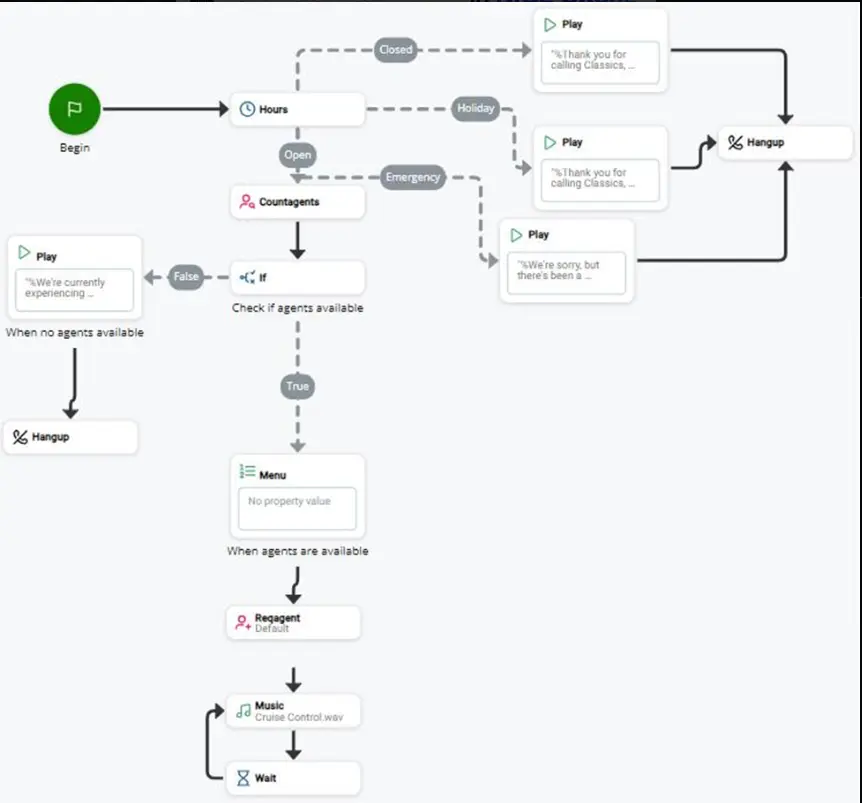
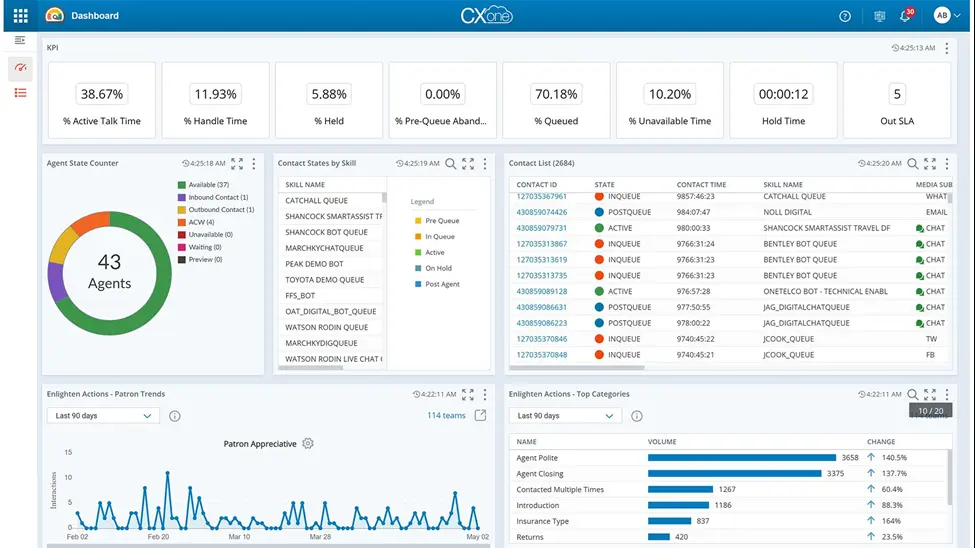
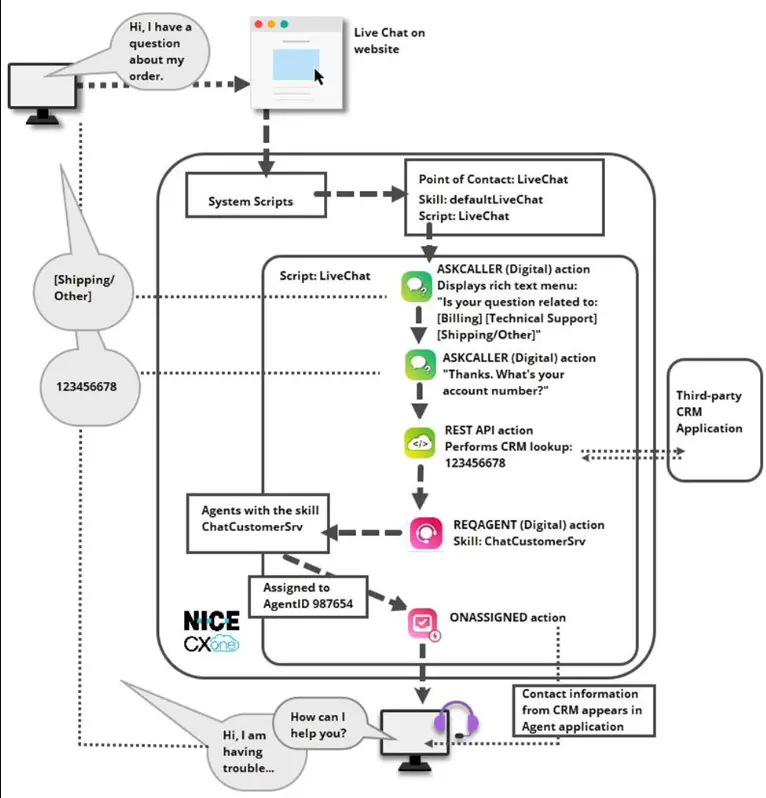
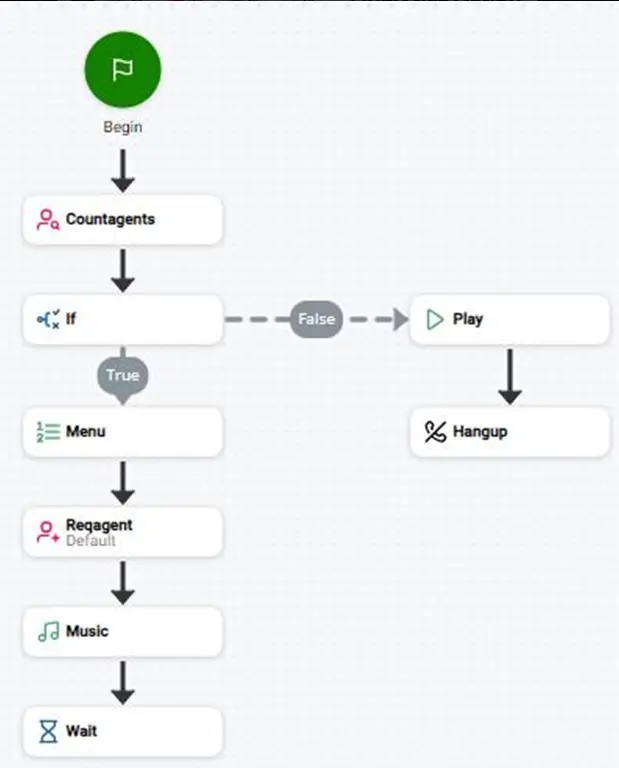
AgentState Architecture in NICE CXone
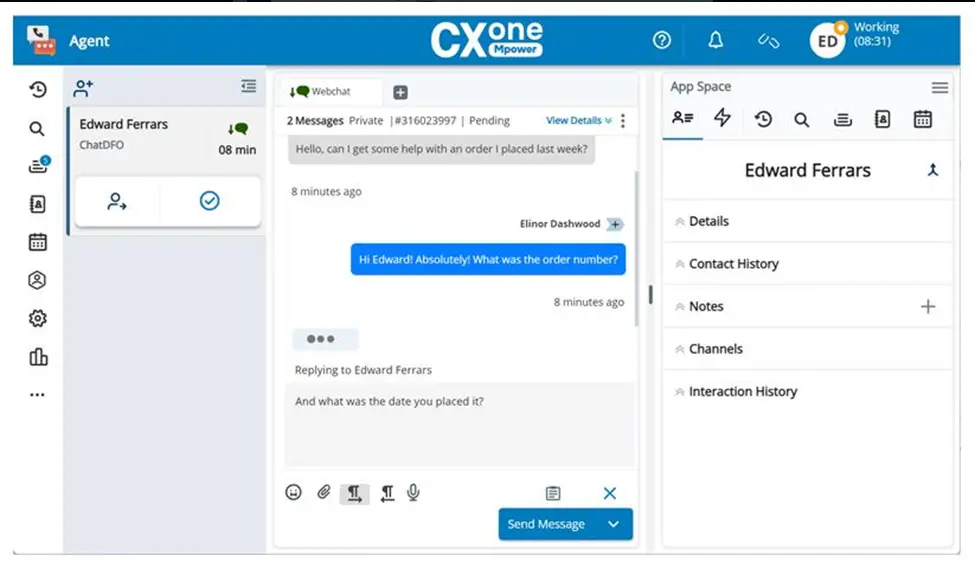
AgentState and NICE CXone Training
At VoIP Trainers Pvt Ltd, learners gain practical exposure to:
- NICE CXone Studio scripting
- Agent state management
- Intelligent routing
- Queue handling
- Omnichannel workflows
- IVR scripting
- Workforce optimization
- Real-time contact center automation
The training includes hands-on lab sessions with real-world routing scenarios used in enterprise NICE Contact Center deployments.
Advantages of Learning AgentState
| Feature
|
Benefit
| | — | — | |
Real-Time Agent Check
|
Smart routing decisions
| |
Dynamic Branching
|
Better automation
| |
Reduced Wait Time
|
Improved CX
| |
Intelligent Escalation
|
Faster resolution
| |
Workforce Visibility
|
Better management
|
Conclusion
The AgentState action is a critical component in NICE CXone Studio scripting. It enables real-time agent availability checks and helps organizations build intelligent, automated customer interaction workflows.
In enterprise NICE Contact Center environments, AgentState improves:
- Call routing accuracy
- Customer satisfaction
- Agent productivity
- Workforce efficiency
Learning this feature through professional NICE CXone Training helps administrators, engineers, and contact center professionals design advanced cloud contact center solutions with confidence.